This article is currently an experimental machine translation and may contain errors. If anything is unclear, please refer to the original Chinese version. I am continuously working to improve the translation.
Background
Previously, all my Git repositories were hosted under my GitHub account @lyc8503. Everything was peaceful—until one day, completely out of the blue, my account got suspended without warning. I opened a support ticket and waited a full 20 days just to get it reinstated. Even now, 40 days later, my account still hasn’t fully returned to normal.
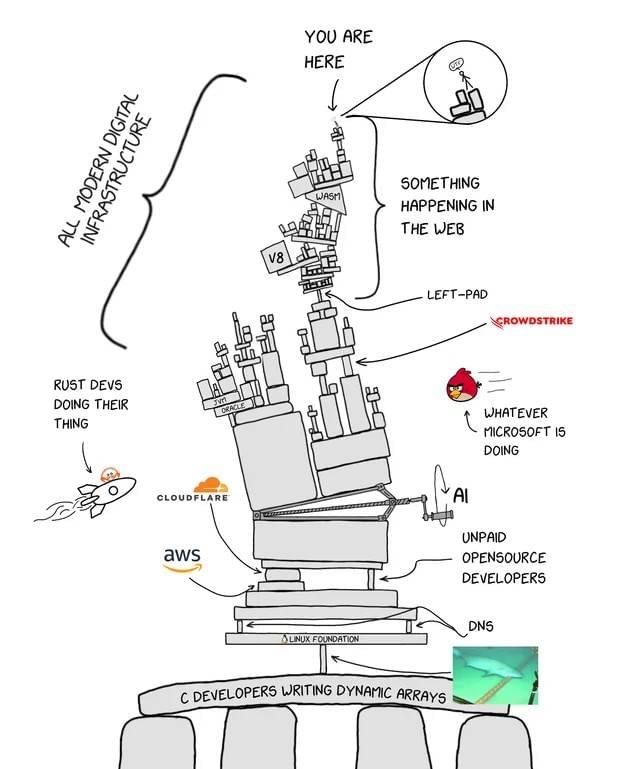 "WHATEVER MICROSOFT IS DOING"
Microsoft—what the hell are you doing? I’m giving you my code for free to train your AI models, boosting your community engagement, and in return, you make GitHub barely usable, spam it with random AI features, and even auto-add Copilot Co-Author to code I wrote myself. Now you’re suspending my account?👿
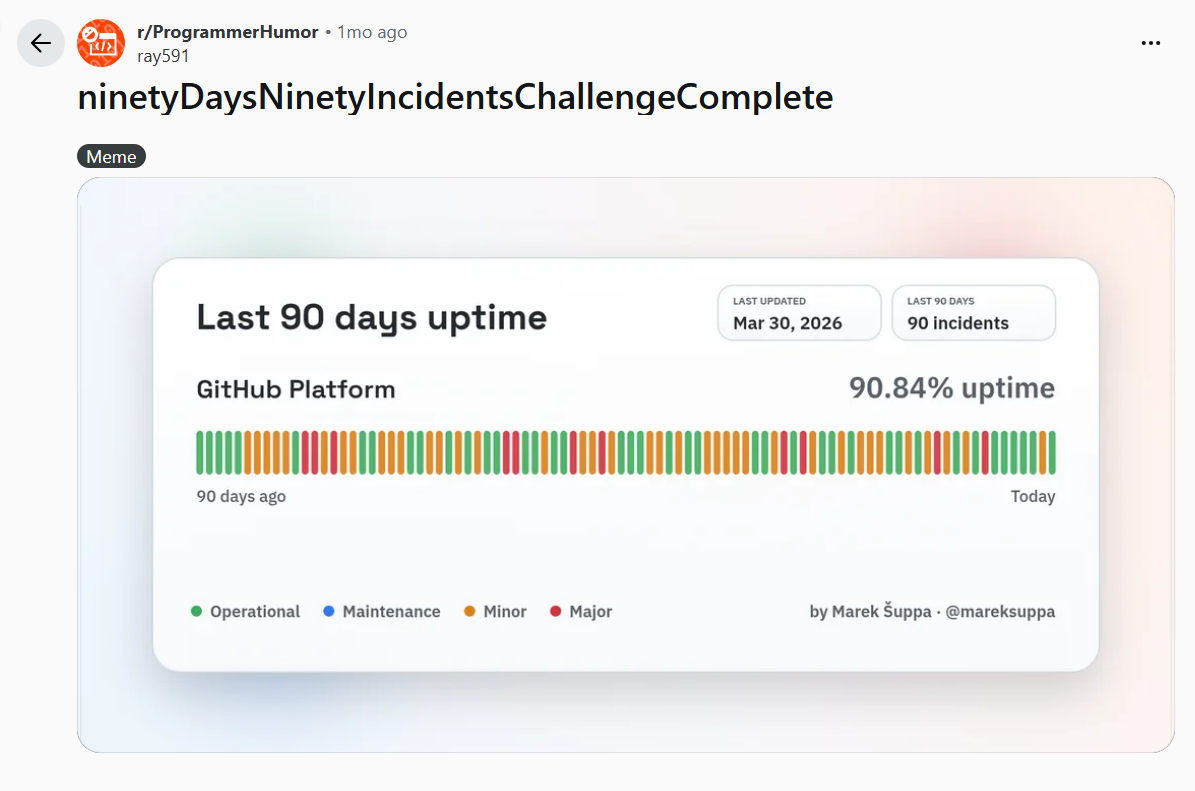 #90Days90IncidentsChallenge
Looking back, the suspension caused me quite a few headaches:
- All my public code repositories returned 404s. Users started flooding my inbox, blog comments, and chat apps asking what happened or requesting code—super annoying to reply to one by one.
- All my issues and PRs were frozen. No way to respond or follow up.
- The giscus comment section on my blog broke because it relied on GitHub, and my personal site www.lyc8503.net went down since it’s hosted on GitHub Pages.
- GitHub Actions stopped working. My CI/CD pipelines for deploying my blog and other sites (like status.lyc8503.net) failed. I had to set up a local environment again just to deploy manually.
- Even though I have local copies of the code, I lost access to Gists, Wikis, and Releases—stuff that’s locked behind the account. My only backup was a GitHub Export from six months ago, which is way out of date.
- My “Buy Me a Coffee” donation link got suspended too—because my social media links were 404ing, they suspected my account wasn’t genuine. Despite multiple appeals, they refused to reinstate it.
After getting slapped like this, it’s clearly time to start moving away from GitHub—a platform that’s become too centralized and is showing clear signs of enshittification.
TL;DR
I wrote a sync script: lyc8503/git-sync-scripts (GitHub/Codeberg), to keep my repositories in sync across multiple platforms.
Now you can find me on Codeberg: lyc8503!
(A Rambling) Exploration
Alright, let’s recap. The main goals for migrating my Git repositories are:
- Store my Git repos and run CI/CD pipelines (like GitHub Actions).
- Publicly distribute my code and allow people to open issues and PRs easily.
As for the rest: I’ve already migrated my comment system to a self-hosted Waline. I even used LLM torture scripting to convert old GitHub comments into Waline-compatible format and imported them. Checked and working. GitHub Pages will gradually move to Cloudflare Pages. Donations will shift to another platform. These are less relevant and fairly trivial—won’t dive into them here.
Idea 1: Self-host a Git Instance
As someone who recently spent a small fortune upgrading my HomeLab, my first instinct was: why not self-host a GitHub alternative? Like GitLab, and just run it on git.lyc8503.net. That’d solve both code hosting and collaboration needs in one go.
After a bit of research, I realized there aren’t many actively maintained, self-hostable Git platforms out there. The only ones with decent traction seemed to be GitLab and the Gitea family (Gogs/Gitea/Forgejo).
Given my traumatic past with GitLab’s CI pipeline syntax and not wanting to waste several GBs of RAM on a bloated suite of features I don’t need, I went with the lightweight and openly transparent Forgejo.
I spun up an LXC container on my HomeLab, installed Forgejo using the official deb package, and followed the Actions setup guide to configure a podman-based Runner. Done in no time.
Even better—Forgejo Actions use syntax nearly identical to GitHub Actions. After restoring my blog repo to Forgejo, the pipeline ran almost unchanged:
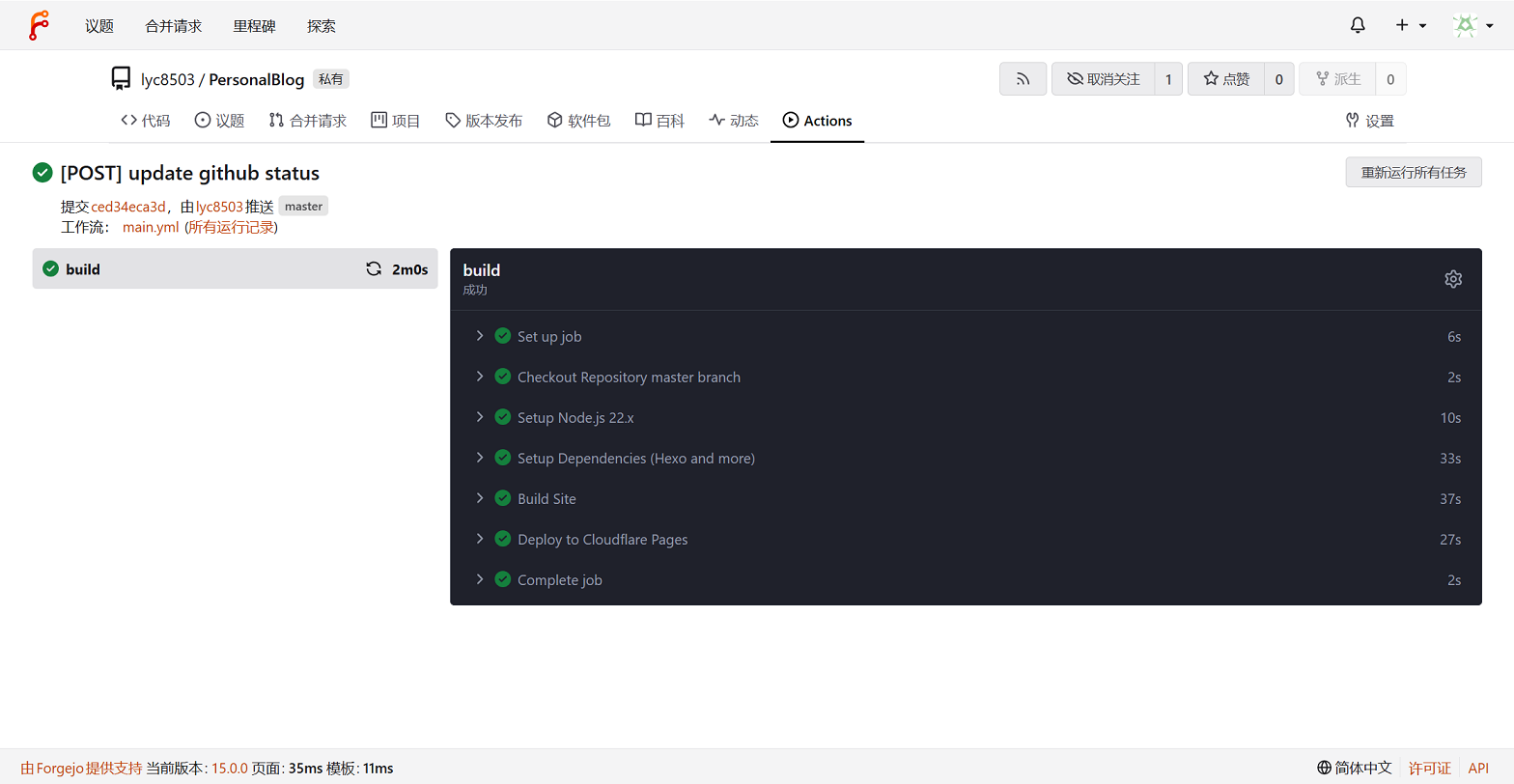 Blog builds on my 270K+ HomeLab are five times faster than GitHub Actions. Bliss.
The only extra step was setting up a transparent proxy for Actions that need to access external resources. Once that was done, it felt almost identical to using GitHub-hosted Runners. The Forgejo Runner isn’t a dedicated VM like GitHub’s, but the default image handles most common workflows just fine.
Need 1: solved! Now, if I just expose it to the public internet via Cloudflare Tunnel or similar, people can start filing issues and PRs. Problem solved, article over.
Right? Wrong. Even ignoring the availability issues of my HomeLab (which occasionally goes offline for maintenance) and my general principle of not exposing internal services to the public web, even if I rented a reliable VPS to host Forgejo, contributors would still need to register an account on my instance, fork the repo, and open a PR.
As the admin, I’d have to maintain an SMTP server, manage user accounts, provide storage and CI resources, and—worst of all—deal with potential abuse. Imagine someone using my instance to post gambling, political rants, or worse—child porn. That’d be a nightmare. As a contributor, they’d have to leave their familiar platform, sign up on my obscure git server, and then check back there every time they want to follow up on an issue or PR.
That’s way too much friction. It’d scare off even the handful of people who might otherwise contribute.
Idea 1.1: Federation
Several folks in comments and emails suggested federation as a solution. I looked into it.
Forgejo supports ForgeFed, a protocol based on ActivityPub, allowing cross-instance interactions—like starring, following, or submitting merge requests—similar to how Mastodon or Misskey work.
But… ForgeFed is still very much experimental. The biggest Forgejo instance, Codeberg, doesn’t even have it enabled.
The federation repo isn’t actively developed, and most features are still WIP. Even if I enable it, there’s not much real functionality to use.
There are other experimental projects too—like ngit (based on Nostr) or tangled (using ATProto)—but they’re still in early stages with no real user base.
Another interesting option is SourceHut. It doesn’t do federation, but ties everything to email—tickets, patches, all handled via email. No login required. The UI is clean, minimal, even JS-free. I kinda like it. But it’s still in alpha, and the workflow is a bit alien for most developers. I’ll keep watching.
Idea 2: Migrate to Another Platform
Alright, self-hosting doesn’t solve the collaboration part. What if I just move to another hosted platform?
GitLab? Nope. They block users from China, and they’re going all-in on their own AI hype train. Hard pass.
Codeberg looks promising, and more people are moving there. Downsides: limited free quotas, many resources require manual approval from the community, and I’ve seen articles questioning Forgejo’s security and performance. I’m not confident it’ll scale well. For now, I’m just watching.
Also, moving from one centralized platform to another feels like I haven’t actually improved anything. Let’s keep thinking.
Idea 3: Static Git Web Pages
Another idea: could I generate static Git web pages, like how Hexo generates static blogs, and host them on something like Cloudflare Pages for near-zero maintenance and high availability?
Fun fact I learned from AI: Git supports a “dumb protocol” that lets you serve a cloneable Git repo using just a plain HTTP server: https://git-scm.com/book/en/v2/Git-Internals-Transfer-Protocols
Turns out, there are already tools for this: itsy-gitsy, git-arr, stagit.
Idea 4: Multi-Platform Bidirectional Sync
Just as I was about to roll my own static site generator, I had a realization: if I host all my repos on git.lyc8503.net, that domain becomes a single point of failure.
What if Cloudflare bans my account tomorrow? Or my domain gets taken down? I’d be unreachable again. Can’t put all my eggs in one basket.
So here’s the final solution I went with: write a script to sync my repos across multiple platforms. No need for a full migration. I keep my existing GitHub presence, and it’s a semi-gradual transition.
I create repos on each platform. Contributors can star, follow, open issues, or submit MRs anywhere. Once I merge changes on one platform, a script pulls them back, updates my local repo, and pushes to all other platforms. Close enough to decentralization.
The script logic:
- One-time setup: manually create repos on self-hosted Git, GitHub, Codeberg, etc. Adjust settings (e.g., set descriptions, disable Actions on Codeberg to avoid duplicate runs).
- Loop through public repos on my self-hosted Git. Clone each as the base.
- For each branch, fetch from all public remotes and attempt fast-forward merge.
- If branches diverge, skip and alert me.
- Push updated branches back to all remotes and my self-hosted instance.
The final script: lyc8503/git-sync-scripts (GitHub/Codeberg) Nothing cooler than hand-written if statements, am I right?
I took a conservative approach: no auto-merging, only fast-forwards. No force pushes. Should be safe—won’t lose data. The script uses plain git over SSH, so I don’t need to generate PAT tokens for each platform. Also avoids HTTPS rate limits (429 Too Many Requests) and prevents API bugs from accidentally deleting all my repos.
In this setup, all private repos stay on my local self-hosted instance—never pushed to public platforms. Public repos use my self-hosted Git as the source of truth. The script pulls updates (mainly merged PRs/MRs) from all remotes, then syncs everything back out.
Since it’s based on my local repos, any forks I’ve made on GitHub for PRs are automatically excluded—no risk of accidental sync.
Known downsides: discussions on issues and PRs might get scattered across platforms. Also, each new repo needs to be manually created on every platform. So for now, I’m only syncing to Codeberg. I’ll add more platforms later if needed.
Wrap-up
Phew… done. Gomen nasai if my thoughts were all over the place. Hope you didn’t get too lost.
Follow me on Codeberg, neko~!
This article is licensed under the CC BY-NC-SA 4.0 license.
Author: lyc8503, Article link: https://blog.lyc8503.net/en/post/git-migration/
If this article was helpful or interesting to you, consider buy me a coffee¬_¬
Feel free to comment in English below o/