This article is currently an experimental machine translation and may contain errors. If anything is unclear, please refer to the original Chinese version. I am continuously working to improve the translation.
Haven’t touched this series in a while. Here’s a log of a major hardware upgrade—purely a stream of consciousness, nothing particularly exciting.
Old Platform: B460
Nearly five years ago, during the summer right after I graduated high school, I built a B460m + i3-10100 HomeLab to serve as my file storage and remote development server.
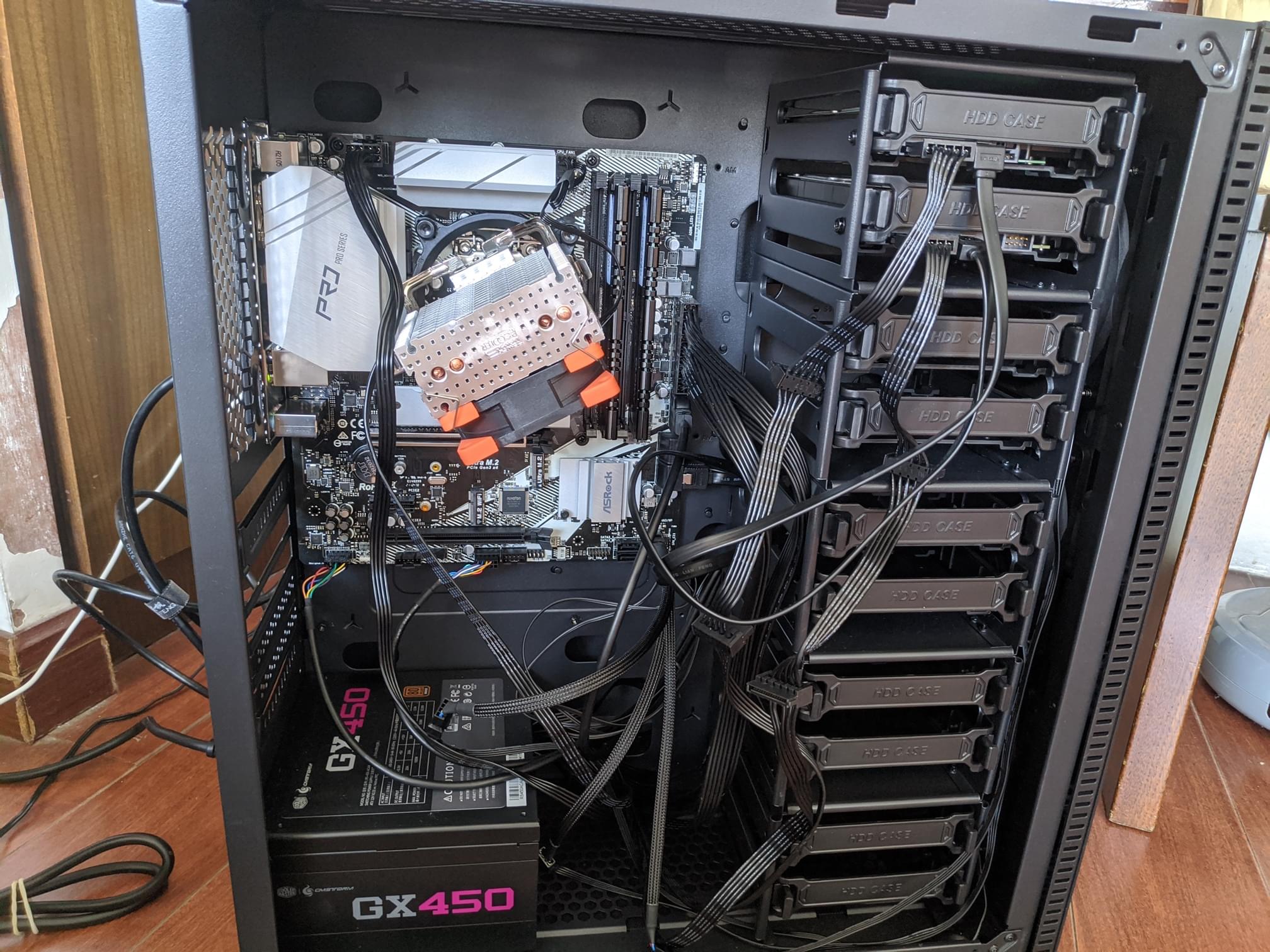 Photo from 2021
After five years of 7x24 heavy-duty operation, most of the hardware has either died, been sold, or upgraded. With my motherboard’s power delivery finally giving up last year, and the PSU sent back to the factory for replacement, the last component I bought in 2021 has now retired. My HomeLab has truly become “Theseus’s HomeLab.”
But it didn’t stop there. Recently, I started experiencing a weird PCIe device drop bug under high load—devices would mysteriously disconnect, making the system unreliable. Looks like it’s time for a full overhaul and let the old gear rest in peace.
First order of business: sell the RAM! I thought my DDR4 32Gx2 sticks, bought at peak prices in 2022, would never recover their value. To my surprise, I listed them on Xianyu (a Chinese secondhand marketplace), added 300 RMB markup, and they were snatched up by resellers in under a few hours. Who would’ve thought—RAM I bought four years ago just appreciated by 300 yuan? How did I even dream this could happen…
Later, I dug out two forgotten 8G DDR4 2400/3000MHz laptop SODIMMs from a dusty drawer at home. Paired with a mysterious ~20 RMB SODIMM-to-DIMM adapter from Taobao, I managed to boot them up and even hit 2933 MHz (the ceiling for my old 10900 ES). Now they’re happily powering my family desktop.
New Platform: Z890
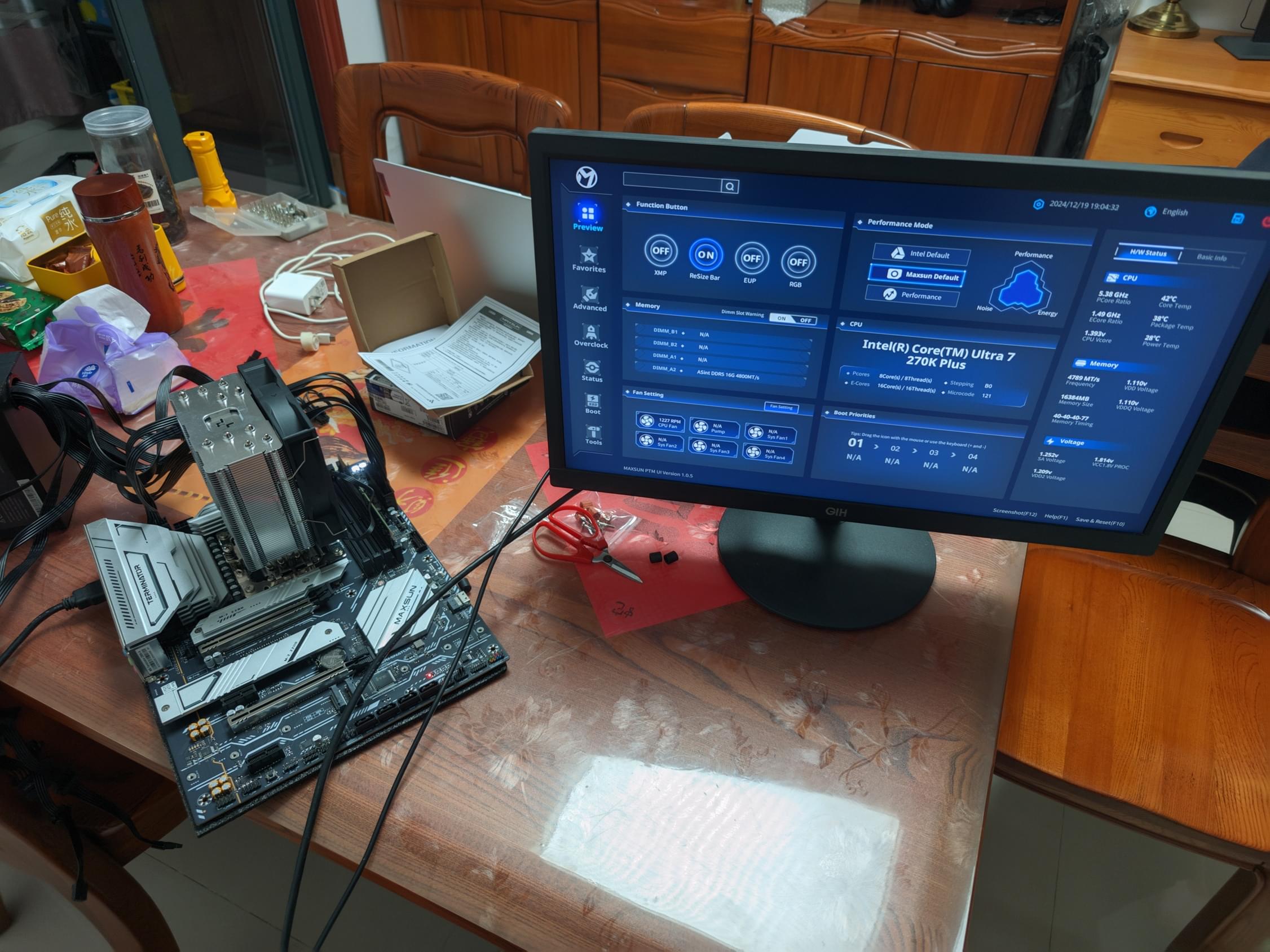 Brand new 270K Plus setup
When I first considered upgrading, I looked at various options—9700X, 9950X, 265K, 13600—dragged my feet for nearly a year, only to see CPU prices barely drop while RAM prices went sky-high.
But recently, I spotted Intel’s newly released Ultra 7 270K Plus—launch price 2499 RMB, performance on par with last gen’s 4799 RMB Ultra 9 285K(ouch, what a backstab). By April 2026, while overseas markets saw premiums, domestic prices dropped to around 2200 RMB.
How could I resist? After two days of lurking, I snagged the 270K Plus + Maxsun Z890-A combo for 2800 RMB. Sure, DDR5 is pricey, but I made even more from selling the old RAM (x), and “out with the old, in with the new.” Final build as follows:
| Component | Model | Price | Source |
|---|---|---|---|
| Board + CPU | 270K Plus OEM + Maxsun Z890-A | 2819 | Pinduoduo, brand new |
| RAM | DDR5 16G 4800 CL40 ASUS Yestron | 769 | Xianyu, mysterious seller |
| Cooler | DeepCool Assassin 500 | 89 | JD.com, brand new |
| Case | (Existing) Peninsula Iron Box F10 | - | - |
| PSU | (Existing) Cooler Master GX450 | - | - |
I originally wanted a more premium setup, but after scoring this dirt-cheap Maxsun board+CPU deal, I just gave up and downgraded everything else—reused existing PSU and cooler. Whatever works.
The motherboard has dual 8-pin CPU power connectors, but my PSU only has one 8-pin CPU output. So I’m forced to run with just one plugged in, like Lü Bu riding a dog. In theory, a single 8-pin can deliver 300W, which should be enough.
(Basic) Performance / Stress Testing
In my 20°C room, the cooler can handle about 235W under sustained load, so I set PL2 to 235W.
In practice, aside from extreme loads like FPU-only stress tests, this CPU rarely exceeds 220W without overclocking. A 100-yuan air cooler and a 450W PSU? More than sufficient!
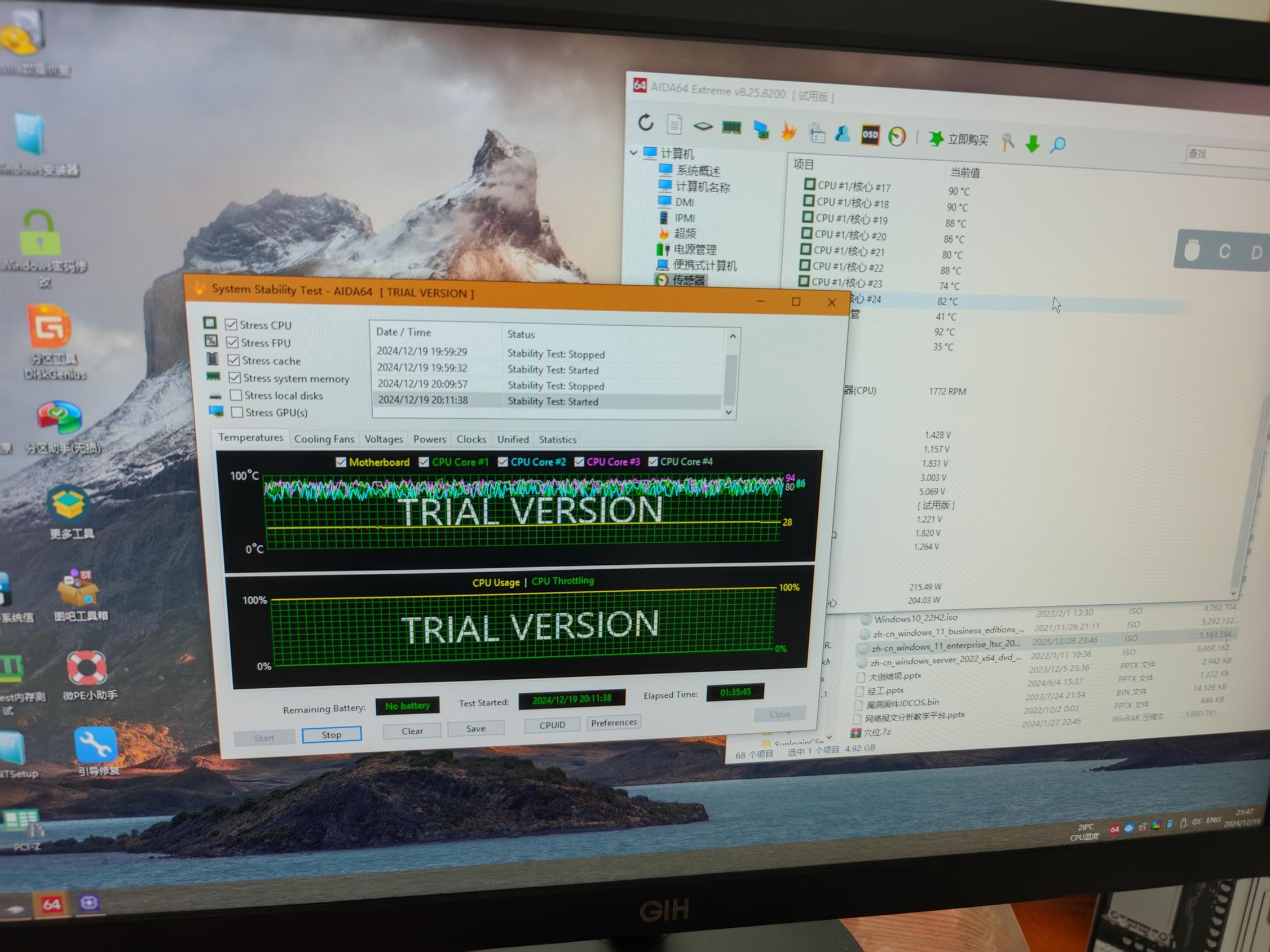 AIDA64 stress test holding 220W easily (...or is it?)
CPU-z scores: 915 single-core, 19200 multi-core.
Theoretical PassMark score is already half of the EPYC 9654!
Stability-wise: ran memtest overnight—no errors. AIDA64 stress test for three hours—stable temps, no crashes.
Software Migration
Moved the drives over, and Proxmox VE booted up perfectly. All VMs came online without a hitch. x86 hardware migration is just too easy—almost zero cost, painless. The only hiccup: GPU passthrough. Previously used GVT-g on 10th-gen, now it’s SR-IOV on 15th-gen. Looks like I need a non-mainline dkms module, i915-sriov-dkms, to make it work. But I don’t really need iGPU virtualization right now, and there are plenty of guides online—so I’ll skip diving into it.
One downside: RAM shrunk from 64G to 16G. Some of my poorly written, unoptimized scripts started hitting OOM. I’ll need to clean them up when I have time. For now, I’ve enabled an aggressive zRAM swap as a band-aid.
One thing I’m slightly worried about: this hybrid P-core/E-core CPU might cause scheduling issues in VMs if not manually tuned. I’ll need to monitor that for a while. On the bright side, the E-cores this generation are strong enough that even if all tasks land on E-cores, it’s still faster than my old setup.
Closing
A big but rather uneventful upgrade. Next up: self-hosting my git and CI/CD pipeline. Hoping to put this new CPU to better use.
This article is licensed under the CC BY-NC-SA 4.0 license.
Author: lyc8503, Article link: https://blog.lyc8503.net/en/post/20-upgrade-to-270k-plus/
If this article was helpful or interesting to you, consider buy me a coffee¬_¬
Feel free to comment in English below o/