This article is currently an experimental machine translation and may contain errors. If anything is unclear, please refer to the original Chinese version. I am continuously working to improve the translation.
Preface
Due to the sharp rise in memory prices over the past year, I couldn’t afford more RAM after upgrading my platform. My current 16GB of DDR5 is barely enough for daily use, but unexpected OOM kills happen when running heavier workloads.
I tried enabling swap to mitigate OOM issues, but ran into various freezes and crashes during configuration. While searching online, I found that people’s understanding of swap is all over the place—full of misconceptions and inaccurate information. Hence, this article.
What Is Swap
Let’s start with two relatively reliable sources: the archlinux Wiki and a blog post titled In defence of swap: common misconceptions.
In short: swap is a temporary backing store for memory in Linux. It allows the kernel to temporarily move cold anonymous pages (pages dynamically allocated during program execution) to swap, freeing up precious physical memory for processes that need it now—thus improving the utilization of physical RAM.
A common belief is that swap can extend physical memory. This isn’t quite accurate. When your working set exceeds physical memory, you’ll experience swap thrashing—constant swapping in and out—leading to a severe performance drop. In extreme cases, the system may freeze entirely. This is not what swap is designed for.
Swap has an important parameter called swappiness (/proc/sys/vm/swappiness), which ranges from 0 to 200. It controls whether the kernel, under memory pressure, prefers to drop file cache (file pages) or swap out anonymous pages. The ideal setting depends on your hardware. For example, on a Linux system with an SSD as the boot drive, re-reading a file and reading a swapped anonymous page have similar costs, so a value like 100 (indicating equal cost) is reasonable.
BTW, the top-voted answer on AskUbuntu about swappiness is outdated and inaccurate
Swap Issues I Encountered
Unfortunately, things weren’t that simple. After enabling swap, my Proxmox VE setup ran into several issues, and I spent quite some time debugging.
Windows VM Memory Problems
After enabling swap on the PVE host, for some unknown reason, one of my Windows VMs started exhibiting random errors. Nearly every program—from LogonUI, taskmgr, and explorer to Firefox, QQ, and Navicat—would crash or pop up memory-related error dialogs when memory usage was high. The whole system would frequently freeze, while other Linux VMs and the host remained unaffected.
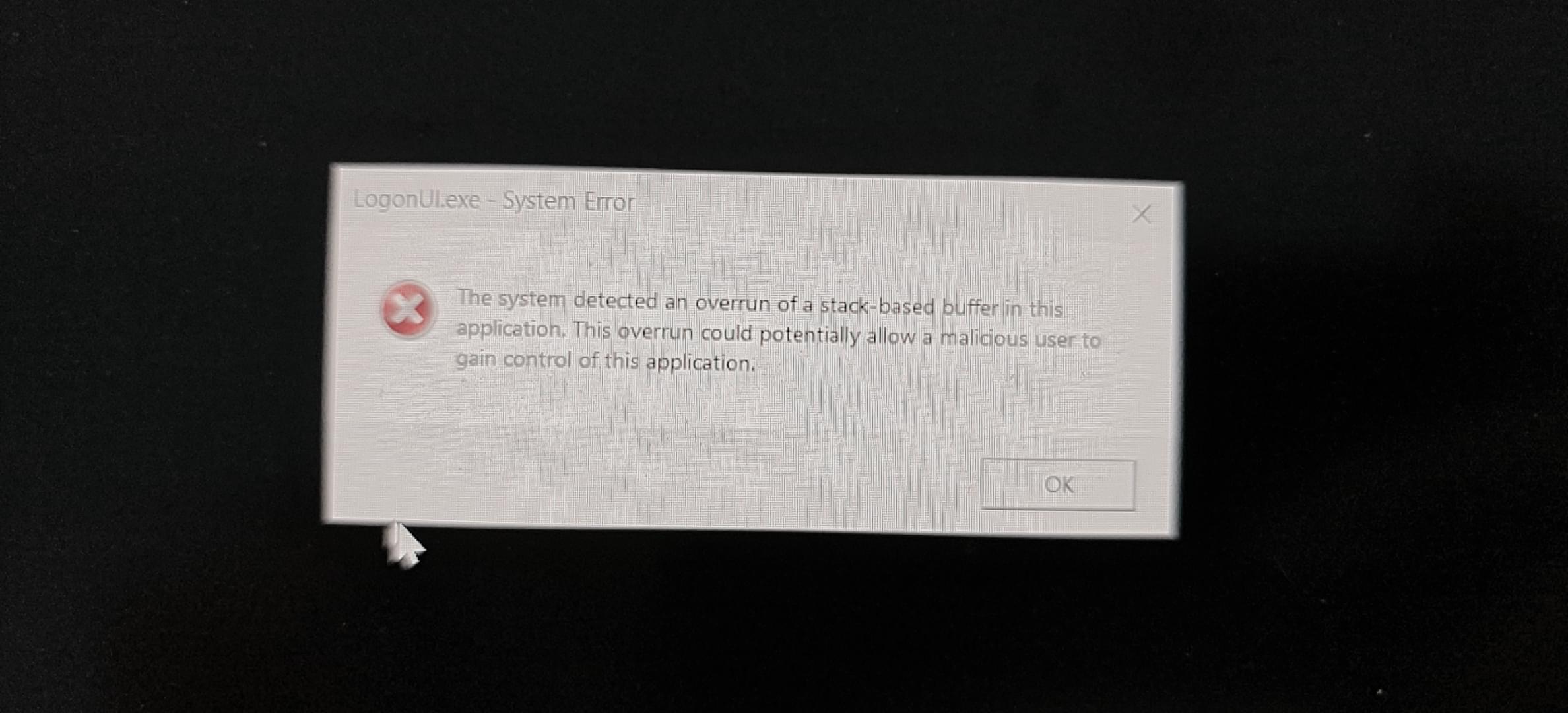 Sample crash dialog
I tried disabling memory ballooning, adjusting VM memory up and down, updating guest drivers, upgrading the host kernel, enabling the page file inside Windows, and more—nothing worked.
Eventually, I solved all issues by editing the /etc/pve/qemu-server/<VMID>.conf config file and adding a QEMU memlock option to force the VM’s memory to never be swapped:
1 | args: -overcommit mem-lock=on |
PVE Host Freezing (zram/zswap Issues)
Initially, because my SSD uses ZFS—and swap on ZFS has known issues—I opted for zRAM.
zRAM acts as a block device that compresses data and stores it back in RAM. A common use case is using zRAM as swap: cold memory data gets compressed and stored in-place in RAM, eliminating the need for disk-based swap. This is similar to the “extended memory” feature often found in Android.
At first, I set up a 16GB zRAM device (equal to my physical RAM size) as swap. Initially, everything seemed fine—system ran smoothly.
However, after some time, I noticed that under significant memory pressure or spikes, the entire system would become extremely sluggish.
So bad, in fact, that PVE’s default watchdog-mux.service would fail to feed the watchdog for 10 seconds straight, causing the entire system to reboot. WTF—I was trying to avoid OOM kills, and now I’m crashing the whole system. Even with the watchdog disabled, the system would freeze completely, with SSH connections timing out for over an hour.
1 | # Reproduction: enable zram first |
Later, when I switched from zram to regular disk-based swap, I discovered that zswap had a very similar issue. Under high load, CPU system time would spike dramatically, eventually causing the system to hang.
I tried adjusting swappiness, using cgroups to protect system.slice memory or prevent it from using swap, and even my 270K Plus is currently the top-tier consumer Intel CPU—none of it helped. Severe freezes persisted, making it impractical for real use.
The final fix? I bought two 16GB Optane modules as swap devices, and stopped using zram/zswap altogether. Under the same stress test, PSI stayed around 30.
Swap Thrashing
Without zram/zswap, using only SSD-based swap at least stopped the system from outright dying under memory pressure.
However, enabling swap changes the kernel’s OOM killer behavior. If a process consumes far more memory than physically available, the kernel will keep swapping until both physical RAM and swap are full—only then triggering the OOM killer. This behavior is often undesirable, as it prolongs system sluggishness.
Since the kernel’s OOM killer lacks configurable thresholds, the solution lies in user-space OOM detection and killing mechanisms—tools that proactively kill high-oom-score processes when memory pressure (PSI) or memory/swap usage reaches a certain threshold.
Several such tools exist: systemd-oomd, oomd, earlyoom, nohang, etc.
I tested a few on my HomeLab, but results weren’t ideal. Some lacked flexible configuration; others themselves became unresponsive under high memory pressure and failed to act in time. I’m not currently using any.
Swap Encryption
One last small issue: my system is fully encrypted, but sensitive data in memory could still be swapped out to disk—and swap isn’t cleared on shutdown.
This is easy to fix: just encrypt the swap as well. Use /dev/urandom at boot to generate a random key, as described in the archlinux wiki.
1 | # /etc/crypttab |
Should You Use Swap?
After all these mysterious issues, the big question remains: should you enable swap?
Online opinions vary wildly, but I agree with the archlinux wiki: this is ultimately a matter of personal preference:
The biggest drawback of using swap when running out of memory is its lower performance, see section #Performance. Hence, enabling swap is a matter of personal preference: some prefer programs to be killed over enabling swap and others prefer enabling swap and slower system when the physical memory is exhausted.
If you have a well-defined workload, consult the official documentation. For example, ElasticSearch docs recommend disabling swap entirely, Redis docs suggest enabling swap equal to RAM size while setting maxmemory, and MongoDB docs recommend disabling swap or minimizing swappiness.
Alternatively, just run stress tests to find the best configuration.
If you’re a general-purpose PC user, or like me, running a dozen services on a HomeLab, despite some purists insisting you should always enable swap for better memory utilization, my personal opinion is that if you have ample RAM (say, 32GB or more), you can safely skip swap. While swap has improved in recent years, it’s not a “free” memory optimization. It can still cause noticeable lag when accessing cold data, leading to user-visible stuttering. It also alters OOM killer behavior, potentially freezing the system. On top of that, it somehow caused my Windows VM to go completely haywire.
Also, swap generates heavy disk writes. I’ve previously had swap cause disk dropouts, freezing the entire system instantly. If you don’t have a high-quality, fast SSD, you probably shouldn’t use disk-based swap at all.
That said, in this particular era—when you simply can’t afford more RAM, or your typical workload already pushes RAM usage high—enabling swap can help reduce OOM kills and memory allocation failures. My experience? Keep swap simple: a plain old swap partition or a swap file on ext4 usually works reasonably well. Fancy setups like zram/zswap may end up freezing your system. Swap on ZFS is also known to cause random deadlocks—best avoided.
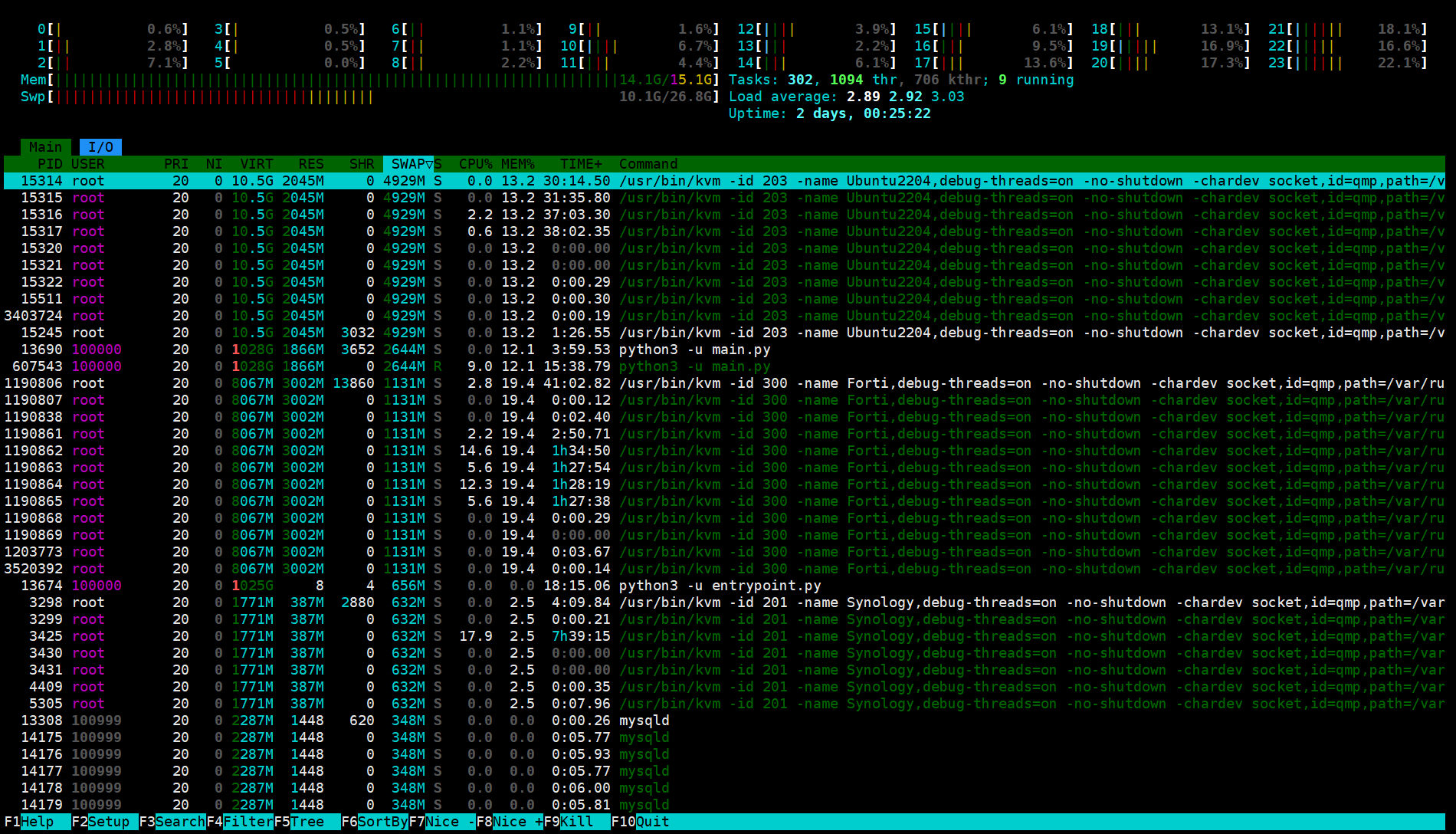 With swap enabled, memory from several VMs can be swapped out, allowing me to run workloads that previously required 32GB on just 16GB RAM
This article is licensed under the CC BY-NC-SA 4.0 license.
Author: lyc8503, Article link: https://blog.lyc8503.net/en/post/21-swap-setup/
If this article was helpful or interesting to you, consider buy me a coffee¬_¬
Feel free to comment in English below o/